
Guide
E-Commerce Bookkeeping 101: Tracking Sales, Fees, and Inventory the Right Way
Updated August 18, 2026

Key Takeaways
- Record gross e-commerce sales separately from refunds, discounts, payment fees, shipping, and taxes.
- Reconcile marketplace and payment-platform payouts to deposits instead of treating every bank deposit as revenue.
- Track inventory purchases, landed costs, stock counts, and cost of goods sold consistently for reliable profit reporting.
- Use a repeatable monthly close process and bookkeeping system to identify errors before they affect cash flow or tax filings.
An online store can make a sale in seconds. Recording that sale correctly takes more work. You may need to track payment fees, holds, refunds, sales tax, and inventory at the same time.
U.S. e-commerce sales keep climbing every year, and more sellers are learning that bank deposits rarely match gross sales [1]. That gap trips up Shopify store owners who assume bookkeeping means matching deposits to orders.
This guide covers the workflow: capture gross sales, reconcile payouts, track inventory, review taxes, and close your books each month. If you'd rather skip the manual work, Tidy Ledgers Bookkeeping builds clean, decision-ready books for busy store owners.
E-commerce bookkeeping tracks money at every stage of a sale, not just when cash lands in your bank account. Here's how a single order moves through your books.
What E-Commerce Bookkeeping Includes
| Event | Bookkeeping Treatment | Common Mistake |
|---|---|---|
| Order placed | Record as a sale on the order date | Waiting until payout to log the sale |
| Payment captured | Move funds to a clearing account | Booking it straight to revenue |
| Fee charged | Record as a separate expense | Ignoring fees or netting them against sales |
| Refund issued | Reduce sales and reverse any fees | Treating refunds as regular expenses |
| Payout received | Clear the payout against pending transactions | Recording payout as new income |
| Bank deposit | Match deposit to payout report | Skipping reconciliation entirely |
Why Bank Deposits Do Not Equal Online Sales
A single payout often bundles many orders together. Processing fees, refunds, chargebacks, and reserves can reduce it.
How to Record Sales, Fees, Refunds, and Payouts
Every payout that lands in your bank account is really a net number. It hides a lot of moving parts. To keep your books clean, you need to track each piece separately, not just the final deposit.
Here's a quick, illustrative example. Say a customer orders $100 of product, gets a $10 discount (which reduces gross sales to $90), pays $8 shipping, and $7 sales tax. The processor takes a $3 fee.
That leaves a net payout of $102. This example shows the structure, not a real statistic. Keep in mind that the $102 figure is a cash number, not a profit number: it still contains the $7 in sales tax collected from the customer, which is a liability you owe to the state, not revenue you've earned, and it must be set aside until it's remitted rather than counted as part of your take-home proceeds.
Record Gross Sales Before Deductions
Gross product sales should stand on their own line. Don't lump them in with discounts, returns, shipping, or tax.
Using the example above, you'd record $100 in gross sales, then a $10 discount, $8 in shipping income, and $7 in collected tax as separate entries. Sales tax isn't your money. It passes through your books until you remit it, and this matters for Inventory Bookkeeping and Cost of Goods Sold
Inventory is where a lot of e-commerce bookkeeping goes wrong. If you sell physical products, tracking stock and cost of goods sold (COGS) matters as much as tracking sales. Get this wrong, and your profit numbers won't mean much.
Track Inventory Purchases and Landed Costs
When you buy inventory, it doesn't become an expense right away. Inventory is an asset until it sells. Only then does its cost move to COGS.
Your landed cost is more than the price tag on each item. It can include freight, customs duties, packaging, and inspection fees, depending on your accounting policy. Keep supplier invoices, receiving records, and shipping paperwork for every order. You'll need them at tax time and during audits.
Calculate Cost of Goods Sold Consistently
The basic COGS formula is simple: beginning inventory plus purchases, minus ending inventory, equals COGS. It sounds easy on paper. In practice, the method you use to value that inventory can change your numbers a lot.
Whatever method you pick, stick with it. The IRS expects consistency in how businesses value inventory and calculate COGSSales Tax and Other E-Commerce Liabilities
Sales tax trips up more online sellers than almost anything else in bookkeeping. It's not your money. It never was.
Keep Sales Tax Separate from Revenue
Sales tax you collect from customers is a liability, not income[12]. It sits in your books until you hand it over to the state. Mixing it with sales revenue makes your profit numbers look bigger than they really are.
Break out taxable sales, exempt sales, tax collected, tax remitted, and marketplace-collected tax into separate lines. Add a category for adjustments and refunds too. This detail matters during QuickBooks setup and cleanup, since your chart of accounts needs to support it from day one.
Tax rules shift by state, product type, and customer location. Marketplace-facilitator laws add another layer, since some platforms collect and remit tax for you automatically[14].
Reconcile Platform Tax Reports to Returns
Pull your platform's tax report each period and compare it against your books[4]. Check totals by state, not just overall numbers. A small mismatch in one jurisdiction can signal a bigger filing problem.
Figure out who's responsible for remitting tax in each state. If the marketplace collects and pays it for you, your job is verification. If not, you handle the remittance. Save filing confirmations, payment receipts, exemption certificates, and correction notices in one place.
Watch for Other Payables and Compliance Items
Sales tax isn't the only liability in your books. Watch for these too:
- Gift cards and store credit issued but not yet used
- Customer deposits on preorders or custom items
- Shipping obligations for unfulfilled orders
- Payroll-related liabilities like withheld taxes
- Refunds in transit that haven't cleared yet
Old or unexplained balances in these accounts are a red flag. They usually mean something wasn't recorded correctly, or a customer obligation was forgotten. If your business sells across multiple states or deals with complex products, consult a tax or legal professional. It's cheaper to ask early than to fix a mess later.
Monthly sales-tax liability review
- Export your sales tax report from each sales platform
- Check which jurisdictions you owe tax in this period
- Review marketplace-facilitator collections to see what's already handled
- Reconcile the liability account against reports and platform data
- File returns for each required jurisdiction
- Submit payment before the due date
- Save confirmations, receipts, and notes for your records
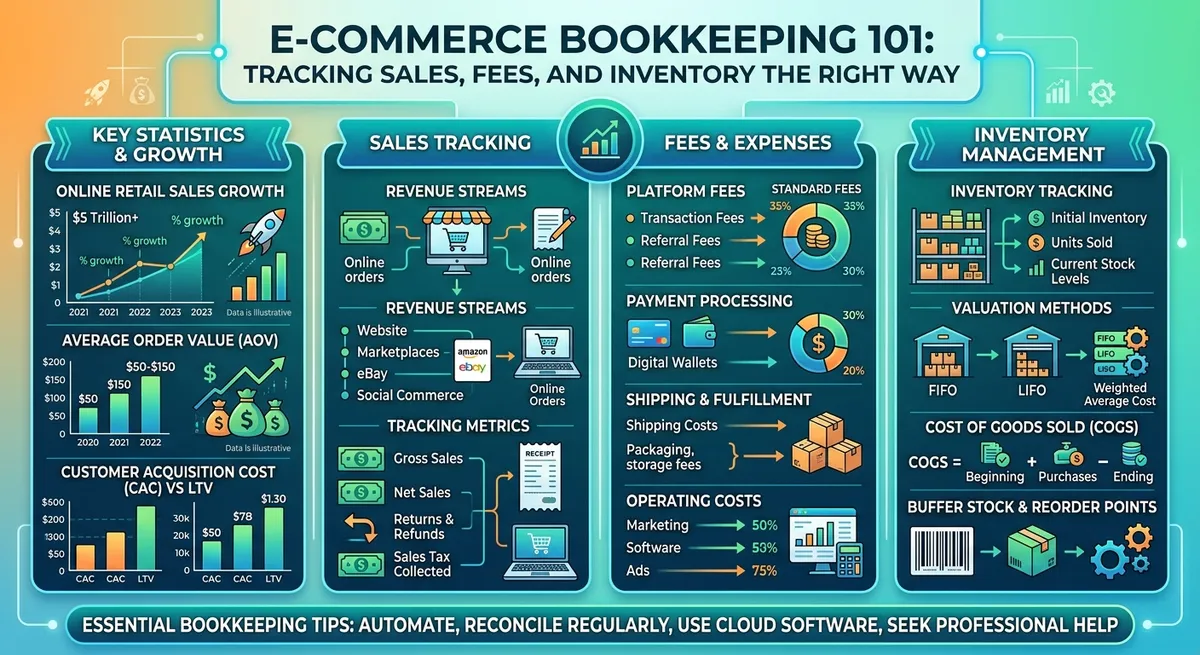
Key data and insights: E-Commerce Bookkeeping 101: Tracking Sales, Fees, and Inventory the Right Way
A Reliable Monthly E-Commerce Bookkeeping Workflow
Good books require a routine you repeat every month. Here's a simple workflow that keeps your numbers clean and audit-ready.
- Lock the reporting period so no new orders slip in
- Export reports from every sales channel
- Record gross sales, refunds, and discounts
- Reconcile payouts against deposits
- Reconcile inventory counts and costs
- Review sales tax collected and owed
- Reconcile bank and credit card accounts
- Analyze key performance numbers
- Archive supporting reports
This reportedly matches the structure in Tidy Ledgers' month-end bookkeeping checklist, which is described as walking through each step in order so nothing gets missed.
Collect and Standardize Source Reports
Start by pulling reports for orders, refunds, discounts, and payout details. Add fees, reserves, chargebacks, sales tax, shipping, and inventory purchases too. Don't forget your bank activity.
Use the same date range for every channel. If one report covers Monday through Sunday and another covers the calendar month, your numbers won't match. Export in the same format each time, whether that's CSV or PDF.
Keep the original files. If a number looks off three months from now, you'll want to trace it back to the source.
Post Entries and Reconcile Clearing Accounts
Now post the activity into your books. Some businesses post daily transaction detail. Others post one summary entry per payout. It depends on your sales volume and your software
Common E-Commerce Bookkeeping Mistakes to Avoid
Most bookkeeping messes come from a handful of repeat offenders. Here are the ones we see most, and how to fix each one.
- Recording net deposits only: hides fees and refunds. Fix: post gross sales, fees, and refunds separately.
- Duplicated sales entries: happens when apps and manual entries overlap. Fix: reconcile one payout report as your source of truth[9].
- Misclassified sales tax: treating collected tax as income inflates revenue. Fix: keep it in a separate liability account.
- Ignored processing fees: left buried in deposits, they skew margins. Fix: track fees using your payout reports[3].
- Missing COGS entries: expensing inventory the moment you buy it, not when you sell it[13].
- Unreconciled refunds and chargebacks: left sitting in clearing accounts for months.
- Stale clearing balances: never zeroed out, so nobody trusts the number.
- Unreviewed automation: trusting an app feed without checking it.
If your sales stay simple and volume is low, you can likely manage these fixes yourself with a monthly checklist. Once you sell on multiple platforms or fees get complicated, outsourced bookkeeping usually saves more than it costs.
Recording Only Net Deposits as Revenue
A common mistake is recording only a net bank deposit as revenue. For example, a $1,000 gross sales total could result in a smaller deposit after fees, refunds, reserves, taxes, or other adjustments.
That gap hides your true payment costs and makes gross margin look better than it is. It also throws off sales tax reconciliation, since taxable sales and bank deposits are never the same number.
Use a clearing account instead. Record the full sale, then post fees and payouts using your payout reports as backup[4]. This keeps your books tied to reality, not just your bank balance.
Ignoring Inventory, Returns, and Damaged Goods
Expensing every inventory purchase the day you buy it feels simple. But it overstates costs in slow months and understates them once you sell that stock[14].
Returns, restocking fees, damaged goods, and lost shipments all need a home in your books too. Skip them, and your inventory value on paper never matches what's actually on the shelf.
Write a short policy for handling these adjustments. Require approval for any write-off above a set dollar amount, and check state rules like the Idaho sales and use tax guide if returns affect tax you've already remitted.
Using Automation Without Reviewing Exceptions
Integrations work well until a platform changes its report format and your app keeps importing garbage. Duplicate transactions, incorrect tax mappings, and missing fees slip through constantly[5].
Build a monthly exception review. Check for uncategorized transactions, payouts that don't match deposits, negative inventory counts, odd fee rates, and liability balances that don't make sense[10].
If your books haven't reconciled in months, or old entries look inconsistent, bring in a professional for cleanup. For guidance on setting up better systems from the start, see our sales tax guide and consider a full review before your next filing deadline.
Choosing the Right E-Commerce Bookkeeping System
The right system is the one you actually keep up with. It should match how you sell, not force extra work on you every month.

Your bookkeeping system is ready when...
- Every sale from every channel gets captured, including refunds and cancellations
- Fees are mapped and documented, so payment processor charges match what you expect[9]
- Clearing accounts stay balanced instead of piling up unmatched deposits[11]
- Inventory counts and costs reflect what's actually on your shelves
- Sales tax and other liabilities are reconciled, not just estimated
- You get monthly reports on time, not three months late
If you're missing a few of these, you're not alone. Many online sellers reach this point and decide it's time for outside help. Tidy Ledgers Bookkeeping works with U.S. online businesses on QuickBooks setup, cleanup, and ongoing reporting, which can be a solid option if you need steady support without hiring in-house.
Match the System to Sales Channels and Volume
Start by counting what you're working with: stores, marketplaces, payment processors, currencies, SKUs, orders, warehouses, and legal entities. A seller on one platform needs less than someone running five storefronts across two countries.
As order volume grows, spreadsheets stop working. Dedicated inventory or order-management software connected to your accounting system[2] can save hours each week. Pick a setup that keeps transaction-level detail but still lets you summarize everything cleanly each month.
Set Up Controls for Accuracy and Security
Decide early who can approve refunds, adjust inventory, or change product costs. Without clear rules, small errors turn into big reconciliation headaches.
Limit user access to what each person actually needs. Use secure logins, written procedures, and regular backups or report archives[6]. Also check integration permissions before platform updates quietly change how your data flows[10].
When to Outsource E-Commerce Bookkeeping
Some signs point clearly to outsourcing: multiple sales channels, payouts that never quite reconcile, inventory numbers you don't trust, or missed tax deadlines. Limited time is a valid reason too.
A bookkeeping partner can take over recurring reconciliations, cleanup work, monthly reporting, and process documentation[5]. Given how quickly e-commerce sales keep growing[1], and how strict IRS recordkeeping expectations are[13], the cost of bad margins or tax surprises usually outweighs the cost of getting help sooner.
Frequently Asked Questions
How should an e-commerce business record Shopify or marketplace payouts?
The safest method is to run the payout through a clearing account before it hits your bank feed. In that account, break down the deposit into its parts: gross sales, refunds, fees, reserves, and any other adjustments the platform made. Once those pieces match the platform's payout report, you can match the net deposit to your bank statement with confidence. The exact entry setup depends on your accounting software and workflow, so a bookkeeper can help you map it out the first time.
Are payment-processing fees an expense or part of cost of goods sold?
Most businesses track processing and marketplace fees as selling expenses or merchant-processing costs, separate from cost of goods sold. Inventory-related costs, like shipping inventory in or manufacturing costs, may factor into product cost depending on your accounting policy. What matters most is picking one method and sticking with it every month. Since this affects your tax reporting, have a tax professional confirm that your classification fits your situation.
How often should an online store reconcile inventory and e-commerce payouts?
Check your payouts at least once a month, but if you're running high sales volume or watching cash closely, do it weekly or even daily. Waiting too long makes errors harder to trace back to their source. For inventory, run cycle counts often on fast-moving or high-value items since those cause the biggest problems when they're off. Pair that with a full physical count on a set schedule, like quarterly or yearly, so your books reflect what's actually on the shelf.
Conclusion
Good e-commerce bookkeeping means looking past your bank balance and tracking the full story behind every order. Gross sales, refunds, fees, taxes, and payouts each need their own place in your books. Inventory and cost of goods sold matter just as much. Without them, you're only guessing at your real profit.
A monthly close process catches small errors before they turn into big problems. It also gives you numbers you can trust when tax season or a cash crunch hits. As your store grows across more channels, keeping up gets harder to do alone. That's where professional bookkeeping support pays for itself.
Pull up your latest payout, fee, sales-tax, and inventory reports. Check them against your accounting records. If the numbers don't match or your reporting is behind, reach out to Tidy Ledgers Bookkeeping. We help online sellers with monthly bookkeeping, QuickBooks cleanup, sales-tax support, and financial reporting, so your books finally tell the truth about your business.
Related Articles
- QuickBooks Setup & CleanupSetup, cleanup, and training for QuickBooks Online users, from an advanced certified ProAdvisor
- Monthly BookkeepingCategorized transactions, reconciled accounts, and clean monthly financials, closed on time, every month
- Financial Reporting & InsightsClear monthly reports, AP/AR, 1099s, and KPIs that turn your numbers into confident decisions
- Sales & Use Tax FilingIdaho sales and use tax set up, tracked, and filed on the right schedule, resort-city taxes included
- GuideMonth-End Bookkeeping Checklist for Small BusinessesA practical monthly routine for reconciling accounts, reviewing financial reports, documenting open items, and closing cleaner books.Read the guide
- GuideIdaho sales and use tax: a plain guide for small businessesIdaho's sales and use tax is 6%, but the rules around permits, filing schedules, use tax, and resort-city add-ons trip up plenty of good owners. Here's how it works.Read the guide
Common questions
How should an e-commerce business record Shopify or marketplace payouts?
The safest method is to run the payout through a clearing account before it hits your bank feed. In that clearing account, you break down the deposit into its parts: gross sales, refunds, fees, reserves, and any other adjustments the platform made. Once those pieces match the platform's payout report, you can match the net deposit to your bank statement with confidence. The exact entry setup will depend on your accounting software and how your workflow is built, so a bookkeeper can help you map it out the first time.
Are payment-processing fees an expense or part of cost of goods sold?
Most businesses track processing and marketplace fees as selling expenses or merchant-processing costs, separate from cost of goods sold. Inventory-related costs, like shipping inventory in or manufacturing costs, may factor into product cost depending on your accounting policy. What matters most is picking one method and sticking with it every month. Since this affects your tax reporting, it's worth having a tax professional confirm your classification fits your specific situation.
How often should an online store reconcile inventory and e-commerce payouts?
Check your payouts at least once a month, but if you're running high sales volume or watching cash closely, do it weekly or even daily. Waiting too long makes errors harder to trace back to their source. For inventory, run cycle counts often on your fast-moving or high-value items since those cause the biggest problems if they're off. Pair that with a full physical count on a set schedule, like quarterly or yearly, so your books always reflect what's actually on the shelf.

Want this handled for you?
Get a free, no-obligation quote and a quick health check of where your books stand. We reply within one business day. No pitch, no pressure.